Digital Tool Watch Face
Navy Almanac
A digital tool watch face for Garmin AMOLED watches. Five material editions in one purchase, a large time in a central medallion and four sectors around it: weather on top, body on the left, movement on the right, sun and moon at the bottom.
One-time purchase in the Connect IQ app on your phone, paid through Garmin. Garmin's payment is not available in every country.
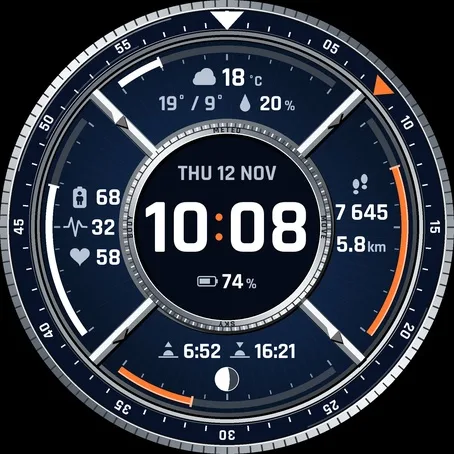
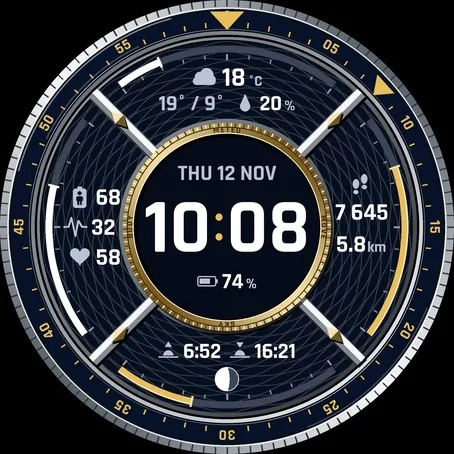
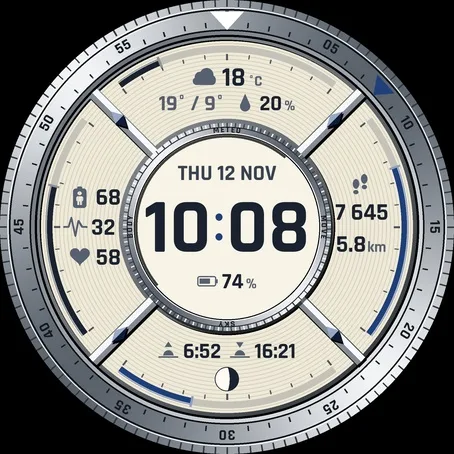
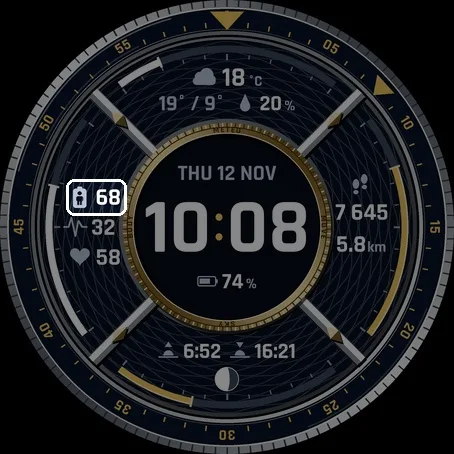
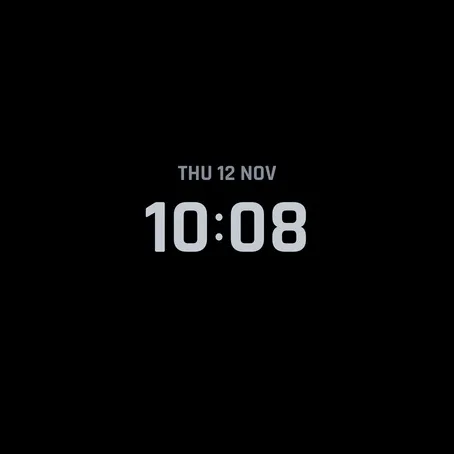


Screenshots from the Garmin simulator.
What it does
- Five editions in one purchase, switch any time: Steel & Navy, Titanium & Champagne, Ceramic & White Gold, Navy Guilloché & Gold and the light Ivory & Steel
- Large time in Rajdhani Bold, 12 or 24 hours as set on your watch
- Weather: condition icon (night icons after sunset), temperature, today's high / low and chance of rain; the top arc fills with the chance of rain, weather older than 3 hours is dimmed
- Body: three rows with Body Battery, stress, heart rate, Pulse Ox, respiration or recovery time; the left arc shows the first row
- Movement: two rows with steps, distance, floors, calories or intensity minutes; the right arc shows the first row, steps fill up to your daily goal
- Sun and moon: sunrise and sunset, the bottom arc shows how much of the day (or night) has passed, and the moon phase calculated on the watch
- Medallion: date with the day of the week above the time (set by the watch language: THU 12 NOV in English, 12. 11. with the day in other languages) or week number, battery or heart rate below
- Minute bezel with a marker on the current minute (can be turned off)
- Any field can stay empty, the weather and the sun and moon sectors can be hidden
- Always-on in three styles: time and date, time only, or time with the medallion outline; dark in every edition
- Touch and hold a field, the weather or the sun to open the matching Garmin overview (touchscreen watches, can be turned off)
- Restore default settings right in the settings
- Drawn separately for 416, 454 and 466 px screens, nothing is scaled
- No internet needed on the watch: no data leaves your watch, only the weather comes from your phone via Garmin Connect
Runs on my watch?
Runs on 29 Garmin watches.
- Approach S70 47mm AMOLED
- Approach S72 43mm AMOLED
- Approach S72 47mm AMOLED
- D2 Air X10 AMOLED
- D2 Mach 1 AMOLED
- D2 Mach 2 AMOLED
- D2 Mach 2 Pro AMOLED
- Descent Mk3i 51mm AMOLED
- epix (Gen 2) / quatix 7 Sapphire AMOLED
- epix Pro (Gen 2) 47mm / quatix 7 Pro AMOLED
- epix Pro (Gen 2) 51mm / D2 Mach 1 Pro / tactix 7 - AMOLED Edition AMOLED
- fēnix 8 43mm AMOLED
- fēnix 8 47mm / 51mm / tactix 8 47mm / 51mm / quatix 8 47mm / 51mm AMOLED
- fēnix 8 Pro 47mm / 51mm / MicroLED / quatix 8 Pro 47mm / 51mm AMOLED
- fēnix 9 43mm AMOLED
- fēnix 9 47mm / 51mm AMOLED
- fēnix 9 Pro 43mm AMOLED
- fēnix 9 Pro 47mm AMOLED
- fēnix 9 Pro 51mm AMOLED
- fēnix E AMOLED
- Forerunner 265 AMOLED
- Forerunner 570 47mm AMOLED
- Forerunner 965 AMOLED
- Forerunner 970 AMOLED
- Instinct 3 AMOLED 50mm AMOLED
- Venu 2 AMOLED
- Venu 2 Plus AMOLED
- Venu 3 AMOLED
- Venu 4 45mm / D2 Air X15 AMOLED
Not in the list? Then this face does not run on your watch yet.
How to set it up
- Watches with the Garmin face editor (fenix 8, fenix 9, fenix E, Forerunner 570, Forerunner 970, Venu 4, Approach S72, D2 Mach 2, D2 Mach 2 Pro): touch and hold the time in the middle of the face / Customize. Style = edition, Data 1 to 3 = body rows, Data 4 and 5 = movement rows. Distance, medallion, weather, sun and moon, bezel, date, always-on and touch are in the Connect IQ app.
- Other watches watch face menu (hold MENU, or on touch watches touch and hold the time in the middle) / Navy Almanac / settings, everything is there, no phone needed.
- Connect IQ app open the face / Settings / save.
Questions
Temperature in °F, distance in miles or time in 12 h?
The face follows the units and time format in your watch system settings.
Weather shows --?
Weather comes from the Garmin weather on your watch, which Garmin Connect on your phone keeps up to date. Give Garmin Connect location access and keep the watch connected; after a sync it can take a few minutes.
Why can't I put any value anywhere?
The sector names are engraved in the dial, so each field offers the values of its own sector.
Which way does the moon face?
The moon phase is drawn as seen from the northern hemisphere.
What's new
- Version 1.0.1 Larger, easier to read steps and calories in the lower right field (the icon moves above long values); the date now shows the day of the week, in English THU 12 NOV.
- Version 1.0.0 First release: digital tool watch face with five material editions in one purchase, large time in a medallion, weather, sun and moon, seven data fields, minute bezel with a current minute marker, three always-on styles, Garmin face editor support.
More from Navy
Something not working? See help or write to me
One e-mail when a new Navy face comes out
No other mail. You can sign out with one click.